Using the Settings Menu
DttR can be configured with the configuration GUI. Open it by running dttr-config.exe next to dttr.exe.
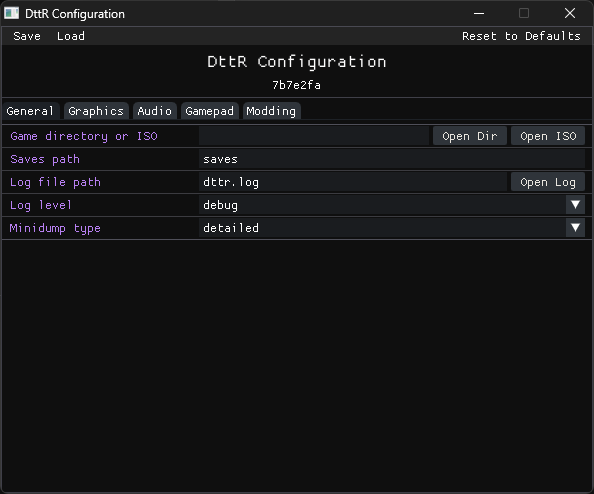
Settings are grouped by tab. Hover over a setting to see what it does and what its default value is.
Once you've changed the settings you want, select Save, and then restart DttR. Settings are read when the game starts, so changes do not affect the game if it is already running.
Change Game Files
Use Game Directory or ISO when you want DttR to use a different copy of the game, an ISO, or a mounted disc.
Select Open Dir for an installed copy and choose the folder containing pcdogs.exe.
Select Open ISO for a disc image.
For a physical or mounted disc, insert or mount it before opening DttR; detected discs also appear in the first-time game-file prompt.
More Settings
There are a whole bunch more settings covering graphics, audio, logging, crash reports, controls, and mods.
For keyboard and controller bindings, see Setting Up Your Controls. For direct JSON editing and the full key reference, see Configuration (Technical).